Preferences
Privacy is important to us, so you have the option of disabling certain types of storage that may not be necessary for the basic functioning of the website. Blocking categories may impact your experience on the website. More information
Privacy is important to us, so you have the option of disabling certain types of storage that may not be necessary for the basic functioning of the website. Blocking categories may impact your experience on the website. More information

Discover how verifying your leads can lead to higher conversion rates and a more efficient sales process.


In short: every CMS can rank on Google and be cited by the AIs, but each one hides its settings in a different place. Before choosing a platform or optimising it, check five points: editable title and meta description, clean URLs, an automatic sitemap, a robots.txt you can edit, and the option to add structured data. The table below compares the most used CMS on these points, and each guide above gives the full setup for your platform.
The best CMS for SEO is the one that lets you control every signal Google and the AIs read, without a developer for each change. WordPress gives the most control, Webflow and Framer give clean code by default, Shopify is the reference for online stores, and Wix or Squarespace are the fastest to start. All of them can rank: the difference is the time you spend on settings.
| CMS | Best for | Edit robots.txt | Automatic sitemap | Structured data | Guide |
|---|---|---|---|---|---|
| WordPress | Blogs, content sites, full control | Yes, with a plugin | Yes | With a plugin | WordPress |
| Shopify | Online stores | Yes (robots.txt.liquid) | Yes | Product, partly native | Shopify |
| Webflow | Showcase sites, startups | Yes | Yes | Custom code | Webflow |
| Wix | Small businesses | Yes | Yes | Partly native | Wix |
| Squarespace | Portfolios, creators | Limited | Yes | Basic | Squarespace |
| Framer | Design-led sites | Limited | Yes | Custom code | Framer |
| HubSpot CMS | B2B with marketing automation | Yes | Yes | Custom modules | HubSpot |
| WooCommerce | Stores on WordPress | Yes, with a plugin | Yes | With a plugin | WooCommerce |
| PrestaShop | European online stores | Yes | With a module | With a module | PrestaShop |
| Headless (Contentful, Strapi, Sanity) | Custom sites with developers | Depends on the front end | To build | To build | Contentful, Strapi, Sanity |
For a store, read also our comparisons of website builders.
Run the whole list on any page with the On-Page SEO Audit or the free Chrome extension.
The AIs read your pages like a demanding visitor in a hurry. Three settings make the difference, whatever the CMS:
Each AI has its own habits: read our guide by AI model to adapt your pages.
The setup is done once. The real work is to publish good articles every week. Sorank connects to WordPress, Shopify, Webflow, Wix, PrestaShop, Framer and many other platforms: it finds the keywords, writes the articles in your brand voice, adds the images and internal links, and publishes them directly in your CMS. The installation page lists the available connections, and the article generator shows an example of the result.
WordPress for control and the number of extensions, Shopify for online stores, Webflow for clean code. The best CMS is the one your team can update every week.
A migration keeps your positions if every old URL redirects (301) to its new address and if titles, content and internal links stay the same. Check your redirects with the Redirect Checker.
Yes. Wix, Webflow, Framer and Squarespace produce pages that Google indexes well. Their limits concern advanced settings, rarely the ranking itself.
Yes if your pages are in the HTML and your robots.txt allows the AI crawlers. Test your site with the free ChatGPT Visibility Checker.
 “I tested Sorank on a real client site and it's insane. It does everything an agency would bill you $1500 a month for. It's going into production on that client now.”

 Guillaume Guersanguersanguillaume.com“We are an Ads agency and we wanted to get our SEO back on track once and for all. Sorank gave us a clear view of our site, helped us prioritize optimizations, and properly structure our content. The tool is easy to use, well designed for a team, and very practical for centralizing tracking without having to juggle multiple platforms. A very solid foundation to start fresh with our SEO.”
 Gaspard MadouiAds Agency
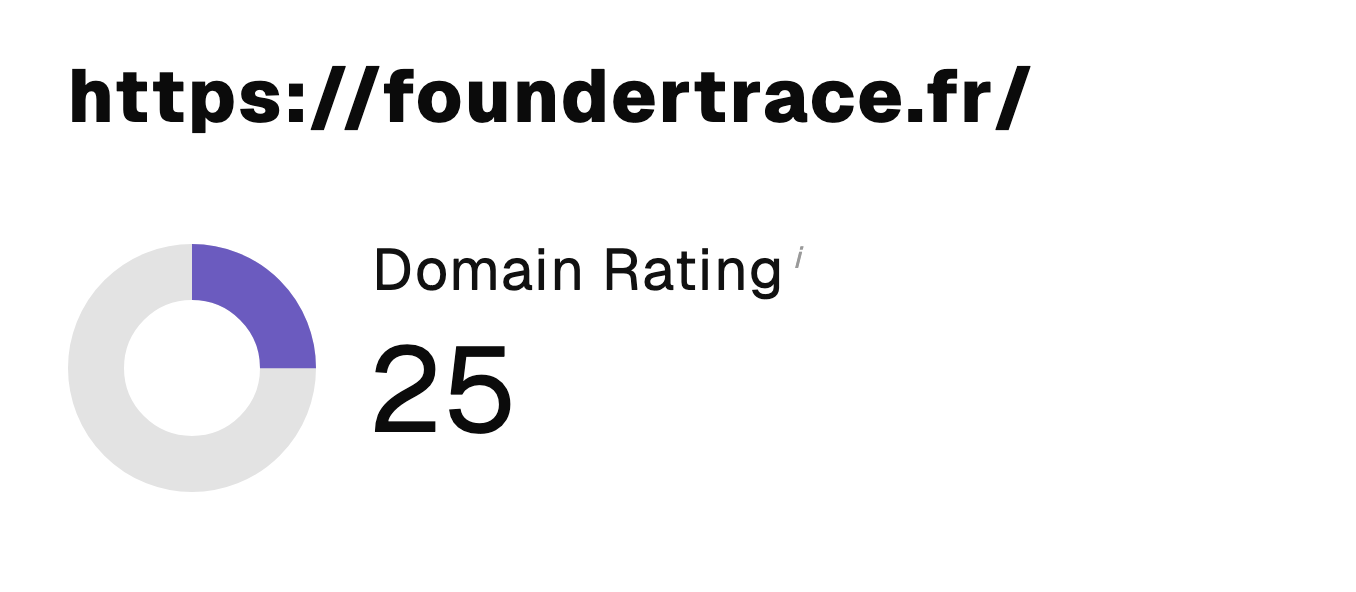 “I just let the Sorank software do its thing, and now my DR is 25 and my page is ranking higher.”
 Lucas Flandrefoundertrace.fr“I specialized in GEO thanks to Sorank. The GEO Leaderboard allows me to show my clients their position vs competitors on ChatGPT. It’s a real commercial differentiator.”
 MélanieSEO Freelance“Great service, works well for our website and helps us understand how to improve it to rank better on Google and elsewhere. Congrats, keep going, I recommend it.”
 Hugo T.E-commerce merchant